

“Add ₹79 more for free delivery.” Should you?
Use this free delivery calculator to compare paying the delivery fee with buying the extra item you are considering. Enter your cart value, delivery charge, free-delivery minimum and extra item price to see which option has the lower checkout total.
If the extra item qualifies, it lowers your bill only when its price plus any increase in other fees is less than the delivery charge you avoid.
Pay delivery or add an item?
Compare your checkout total with and without the extra item you are considering.
Your inputs changed. Select “Compare costs” to update this result.
| Cost | Lower totalPay delivery | Lower totalAdd the item |
|---|---|---|
| Item total | ||
| Delivery | ||
| Other fees | ||
| Checkout total |
Based on the amounts entered. The extra item must count toward the offer, and free delivery must apply at the entered threshold. Costs you did not enter, such as later coupons, payment charges or price changes, are not included.
How to use the free delivery calculator
- Enter your cart items total after item discounts, before delivery and other fees. Use the amount that counts toward the offer.
- Enter the delivery fee currently shown at checkout.
- Enter the minimum eligible purchase amount for free delivery.
- Enter the actual price of the extra item you would buy—not just the amount needed to reach the minimum.
- If platform, handling, packaging or other charges change, enter both amounts under Other checkout fees.
- Select Compare costs and compare the final totals.
The calculation is best suited to carts whose item subtotal counts in full toward the offer. Check mixed eligible/ineligible carts and any new coupon effects against the retailer’s actual checkout.
Example: free delivery that costs ₹39 more
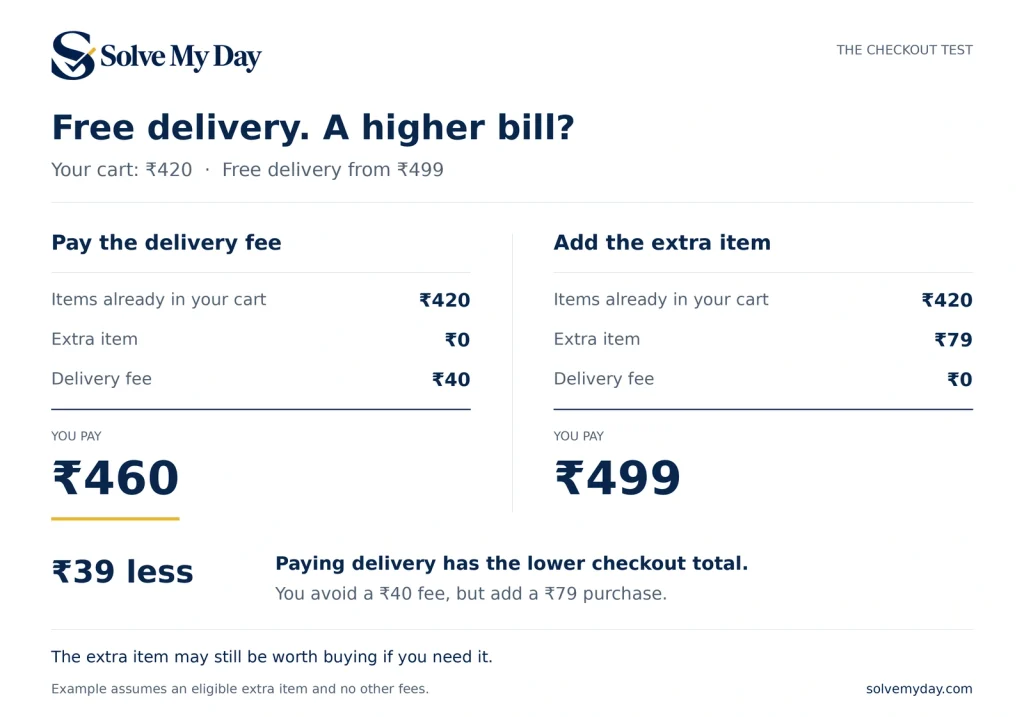
Suppose your intended items cost ₹420 and delivery costs ₹40. Free delivery starts at ₹499, and the item you would add costs ₹79.
| Cost | Pay delivery | Add the item |
|---|---|---|
| Original items | ₹420 | ₹420 |
| Extra item | ₹0 | ₹79 |
| Delivery | ₹40 | ₹0 |
| Other fees | ₹0 | ₹0 |
| Checkout total | ₹460 | ₹499 |
These are illustrative amounts, not a retailer’s current offer.
Paying delivery costs ₹39 less. You remove a ₹40 charge but add a ₹79 purchase:
₹79 − ₹40 = ₹39 more at checkout.
The extra item may still be useful if you need it. The calculator measures the spending difference; it cannot decide what that item is worth to you.
When does adding an item save money?
Once the extra item qualifies the cart for free delivery:
Change in checkout total = extra item price − delivery fee avoided + change in other fees.
- Negative result: adding the item costs less.
- Zero: both options cost the same.
- Positive result: paying delivery costs less.
For example, a ₹480 cart with ₹40 delivery costs ₹520. If a ₹30 eligible item unlocks free delivery at ₹499, the new total is ₹510. You spend ₹10 less, assuming other fees stay unchanged.
With unchanged other fees, the break-even extra-item price equals the delivery charge—but the item must still reach the qualifying minimum.
Check the final total, not just the delivery line
An extra item can remove a delivery charge while other costs increase.
Using the ₹480 example, suppose other fees are ₹5 without the item and ₹20 with it. Your totals become ₹525 and ₹530. Adding the item now costs ₹5 more, even though delivery is free.
Enter separate fee amounts for each option. Include a charge only once: an amount already included in the item price should not be added again under other fees.
What counts toward the free-delivery minimum?
Use the seller’s offer terms. The threshold, eligible products and discount-combination rules may affect qualification. For example, Shopify’s documentation describes minimum purchase requirements and configurable discount combinations. This illustrates why one store’s offer should not be assumed to work like another’s. Source: Shopify Help Center
This calculator models an eligible item unlocking free delivery at or above the threshold you enter. It does not retrieve offers, apply coupons, check membership eligibility or verify retailer rules.
Frequently asked questions
Should I spend more to get free delivery?
Compare the two checkout totals. If the extra item and changed fees cost more than the delivery charge avoided, you spend more today. Buying the item may still make sense if you already need it, but that is different from lowering this checkout total.
What if the extra item does not reach the minimum?
It does not unlock free delivery under the entered threshold. The calculator retains the existing delivery fee for that comparison. If the retailer changes that fee for other reasons, check the updated checkout directly.
Why am I charged delivery after reaching the minimum?
The offer may have other eligibility conditions. Check the eligible subtotal and terms shown by the retailer. Do not assume another purchase will remove the charge just because the headline minimum has been reached.
Does free delivery remove platform or handling fees?
Do not assume that it does. Enter the remaining fees shown for each option. A zero delivery charge does not establish that all other checkout fees are also zero.
Can I use this for different shopping apps?
Yes, as a manual comparison when the offer matches this calculator’s assumptions. Enter the current amounts yourself. It is an independent Solve My Day tool, not a live integration with a retailer or delivery app.